



Social media can be a minefield to navigate. You might think you’re doing everything right, yet fail to see the results you desire. LinkedIn advertising offers an excellent way to create targeted, optimized campaigns that are all but guaranteed to be seen by the right people.
In this post, we’ll discuss the benefits of using LinkedIn advertising to achieve your business goals. Then we’ll walk you through how to get started. Let’s get to it!
How LinkedIn Advertising Works (And Why It Can Be Beneficial for Your Business)
LinkedIn is the world’s largest professional network with over 58 million users in the U.S. alone. Advertising on this platform helps businesses target their unique markets and create objective-based campaigns for all stages of the buyer’s journey. You can build your campaign, optimize your advertising goals, and measure your success all in one place.

To get started with LinkedIn advertising, you’ll want to consider your objectives and think about what stage your audience is at. With this information, you’ll be able to choose the type of ad that will work best for your business goals. LinkedIn offers various ad types including:
- Sponsored content ads
- Sponsored messaging ads
- Text ads
- Dynamic ads
You also maintain a lot of control over your ad’s format. You’ll have 10 different types to choose from such as carousel ads, follower ads and spotlight ads.
You can use the platform to reach a number of different goals, spanning all three stages of the sales funnel:
- Awareness ads are the perfect choice for making your target audience familiar with your brand. With LinkedIn’s impression-based campaigns, you can increase views and follows as well as boost engagement.
- Consideration ads are focused on leads who are already familiar with your brand. They aim to increase website visits, video views and engagement, driving clicks and social actions.
- At the end of the funnel, you will find conversion ads. You might use a conversion ad for lead generation purposes or to increase website conversions.
In a nutshell, LinkedIn advertising is one of the best ways to ensure that your ads are seen by the right people.
How to Get Started with LinkedIn Advertising (In 5 Steps)
Now, let’s walk through the steps involved in getting your first LinkedIn ad campaign up and running. You’ll need a Campaign Manager account to do this. If you don’t already have one, it’s easy to set one up.
Step 1: Choose Your Objective
First, you’ll need to select an objective. The goal you choose will affect how you customize your campaign. For example, if your objective is to build brand awareness, you might choose to opt for an awareness ad campaign that will help users take notice of your business.
On the other hand, if you want to increase website traffic, boost engagement, or improve video views, a consideration ad campaign would be an excellent choice. Finally, if you’re catering your LinkedIn advertising efforts to potential buyers who have already shown strong interest, a conversion campaign may be the most effective option, helping you to generate leads, increase website conversions, or target job applicants.
Step 2: Focus on Your Target Audience
One of the ways LinkedIn stands out as an advertising platform is its ability to guarantee that your ads find the right audience. Targeting is fundamental to the success of your campaigns.
Therefore, it’s crucial that you know your audience so you’re sure to get this stage right. You can choose from over 20 audience attribute categories, including company size, job title and member interests.
Step 3: Select Your Ad Format
Once you know what your goal and target audience will be, there are four formats your ad can take. Let’s take a quick look at each one.
Sponsored Content (Native Ads)
These ads show up directly in your audiences’ feeds, just like any other posts. The difference is that sponsored content is ‘promoted’ to distinguish it from regular content.

There are three options to choose from: carousel ads (a swipeable row of images), single image ads, and video ads.
Sponsored Messaging
You can also advertise to LinkedIn members using direct messages. This lets your brand start up direct, personal, one-on-one conversations with your LinkedIn prospects.

Sponsored messaging ads are an ideal choice for a consideration ad. These ads are typically very popular. In fact, 89% of consumers admit that they would like to use messaging with businesses, and yet only 48% of companies are actually doing this, making it a ripe opportunity.
Text Ads
LinkedIn offers an easy, self-service Pay-Per-Click (PPC) platform for you to create text ads that drive traffic to your website. Text ads appear to the side of readers’ feeds, and are an easy way to get your brand in front of your ideal audience.
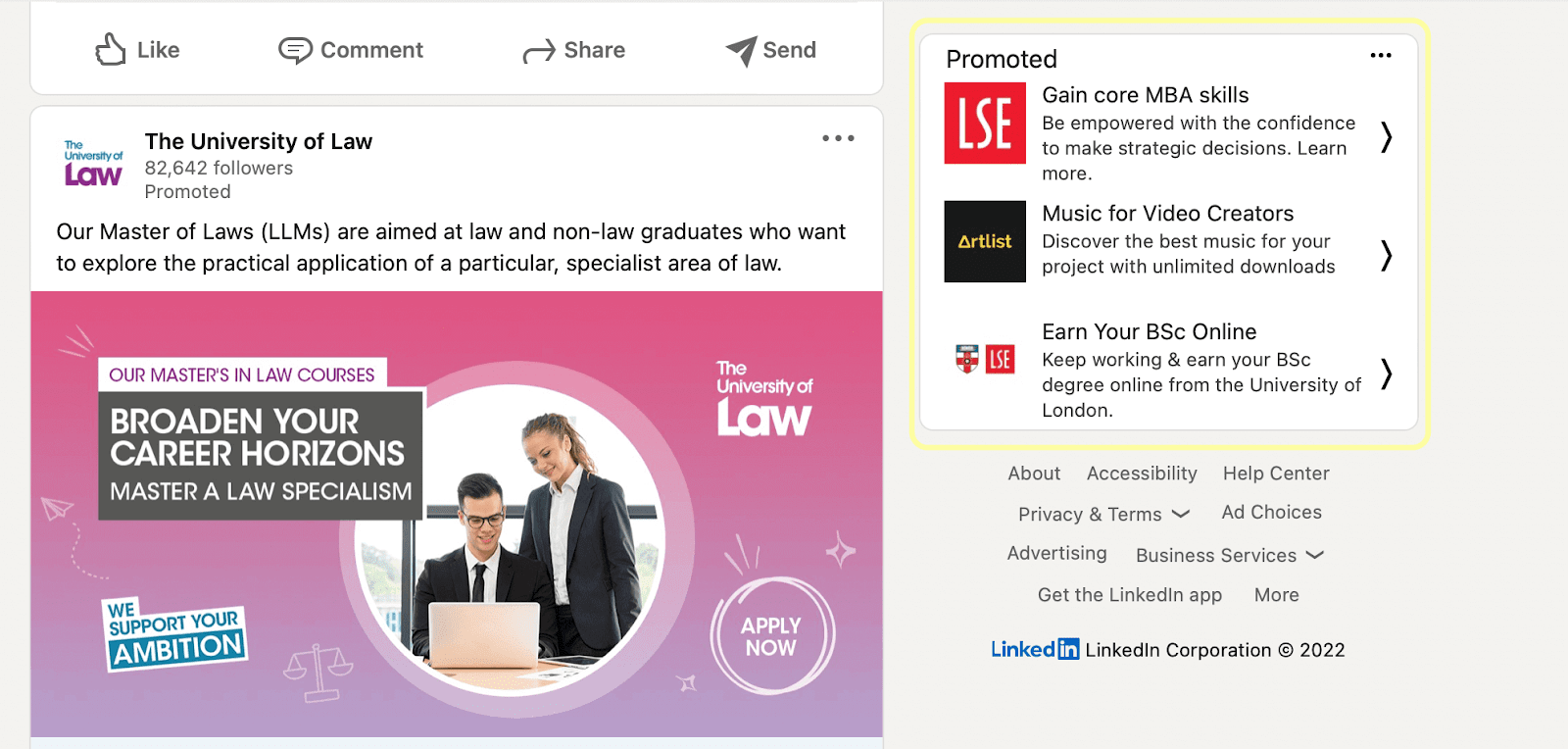
With LinkedIn, you only pay for ads that work so there are no contracts or commitments involved in setting up your own PPC or CPM campaign.
Dynamic Ads
Dynamic ads speak directly to your audience through personalization. When a dynamic ad pops up in a reader’s feed, their own personal details are reflected back to them. This might include their photo, name, or job title.
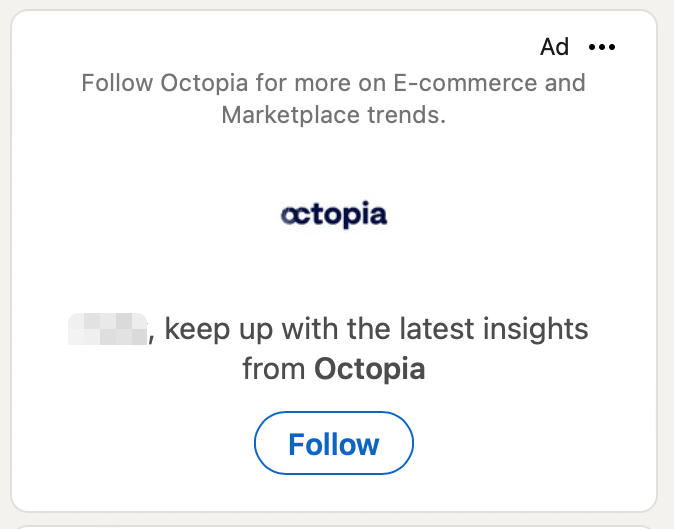
These ads rely on personalization to encourage users to interact with your Call to Action (CTA). You have a choice between creating follower ads, spotlight ads or job ads for this campaign format.
Step 4: Set Your Budget
At this point, you’re ready to set your budget. There are a variety of options, so you can select the one that best suits your business’ goals. You can choose:
- A CPS model (cost per send). This is a great option when you’re running messaging campaigns, meaning that you’ll pay for each delivered message.
- A CPC model (cost per click). This works best for action-oriented campaigns, such as campaigns aimed at generating leads or encouraging your audience to register for an event.
- A CPM model (cost per impression). We’d recommend this model for brand awareness campaigns that are designed to increase views and follows.
LinkedIn enables you to enter a suggested bid, a daily budget, the start and end date for the campaign, and finally, your total budget.
Step 5: Track Your Campaign’s Performance
Once you have an ad campaign up and running, the work isn’t done. You’ll want to keep a close eye on its performance so you know whether your approach is working or you need to make adjustments.
Fortunately, you’re able to continually monitor and edit your ads by visiting your dedicated tracking page. It’s easy to access analytics within your Campaign Manager by selecting the campaign you want to evaluate:

Here, you can view your campaign’s impressions, clicks, social actions and budget, all in one place. Then, you can use this data to edit your ads, whether that means refining your target, adjusting your budget, or something else entirely.
Conclusion
Like any marketing platform, LinkedIn Advertising will take some time and effort to master (and a decent budget). However, this platform’s reach and reputation means that this investment can pay off in increased views, clicks, and even conversions.
Do you have any other questions about LinkedIn advertising? Let us know in the comments section below!
Photo by Souvik Banerjee
Join the conversation